How do I switch from NCLEX-RN to NCLEX-PN (or back)?
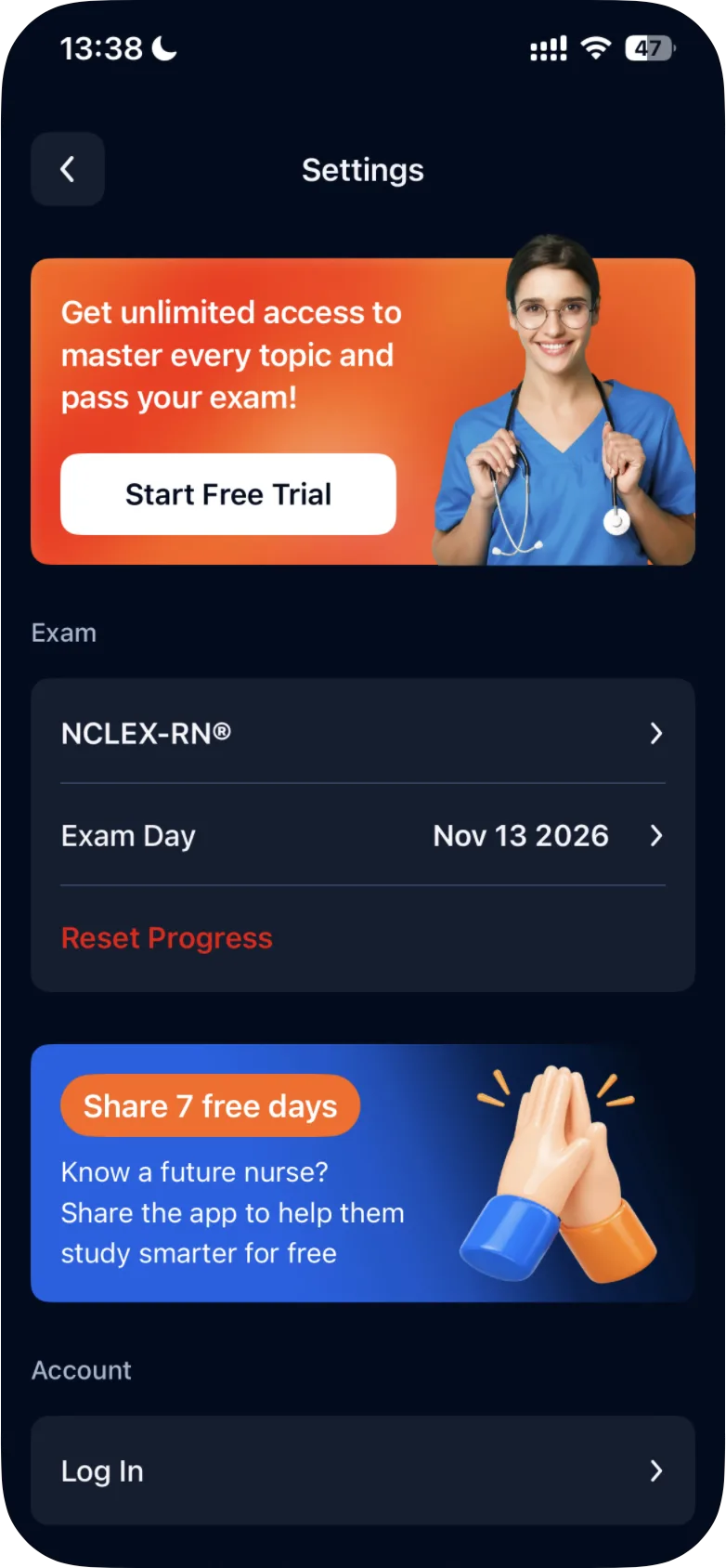
To switch, open Settings (the gear on the Study tab), tap your current exam under Exam, select NCLEX-RN or NCLEX-PN and tap Confirm.
Updated · iOS and Android
You can switch between the two exams at any time in the app's Settings.
-
On the Study tab, tap the gear icon at the top right to open Settings.
-
Under Exam, tap the row with your current exam, for example NCLEX-RN®.
-
On the Which exam are you preparing for? screen, select the exam you want to study. Your current exam is outlined.
- NCLEX-PN®: "Assesses basic nursing skills for care under supervision"
- NCLEX-RN®: "Evaluates advanced nursing skills for independent patient care"
-
Tap Confirm.
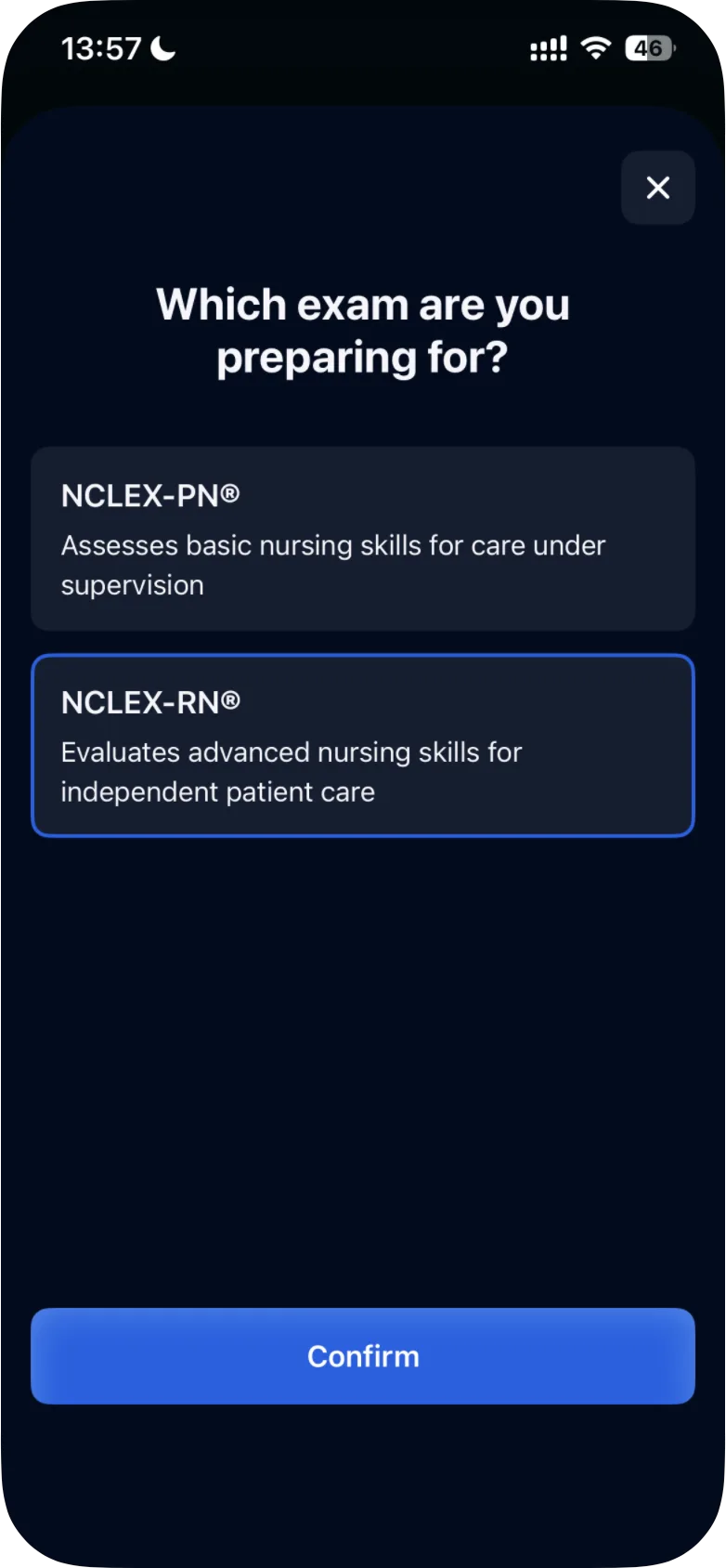
To close the screen and keep your current exam, tap ×.
After you switch
The app's FAQ describes the last step: "Confirm your selection, and you'll be taken to that exam's study materials." The Study, Stats and Review tabs show the exam you're preparing for at the top, for example NCLEX-RN®.
Your progress for each exam is kept separately, so you can switch back and pick up where you left off: see what happens to your progress when you switch.
Not sure which exam is yours, or registered for the wrong one? See NCLEX-RN or NCLEX-PN: which exam should I prepare for?
Was this helpful?
Related questions
- Account & SettingsWhat happens to my progress if I switch between RN and PN?Progress, including completed questions and analytics, is saved separately for each exam. Switch anytime and pick up where you left off.
- Getting StartedNCLEX-RN or NCLEX-PN: which exam should I prepare for?The NCLEX-RN is the licensure exam for registered nurses, the NCLEX-PN for practical/vocational nurses. Your nursing regulatory body decides eligibility.
- Account & SettingsHow do I reset my progress?In Settings, tap Reset Progress under Exam, then read the confirmation before you confirm. The app's FAQ says a reset can't be undone.