How do I practice NCLEX questions by topic?
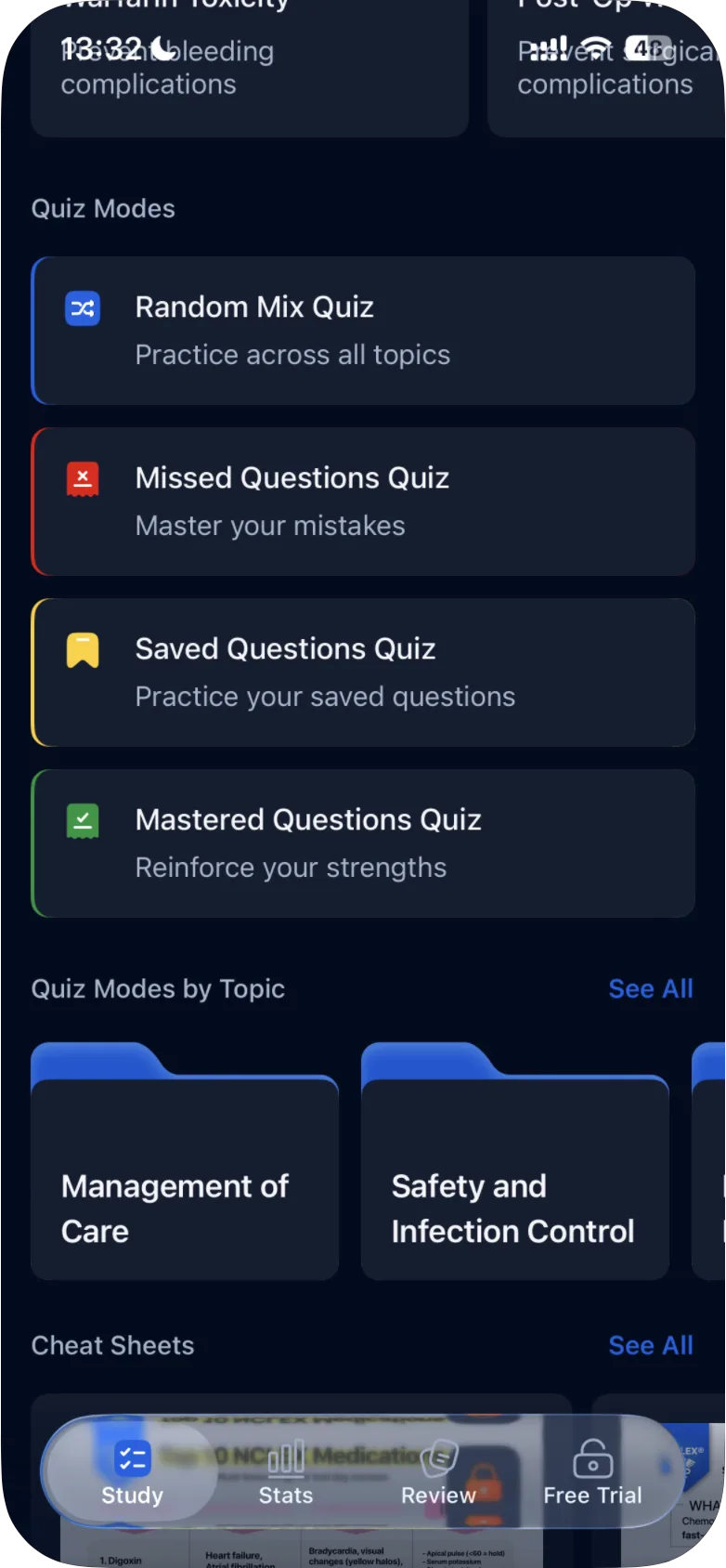
On the Study tab, open Quiz Modes by Topic, choose one of the eight topics and start one of its four quizzes to practice questions from that topic only.
Updated · iOS and Android
To practice one topic at a time, use Quiz Modes by Topic on the Study tab.
- On the Study tab, scroll down to Quiz Modes by Topic.
- Tap a topic folder, or tap See All to see All Topics, the full list, and tap a topic there.
- The topic's Quiz Modes screen opens, with the topic name at the top. Tap a quiz to start it on that topic:
- Random Mix Quiz: "Practice across the topic"
- Missed Questions Quiz: "Master your mistakes"
- Saved Questions Quiz: "Practice your saved questions"
- Mastered Questions Quiz: "Reinforce your strengths"
You answer the questions as in any quiz: see how to take a practice quiz. What each of the four quizzes asks: see what quiz modes are available.
The topics
With NCLEX-RN selected, All Topics lists eight:
- Management of Care
- Safety and Infection Control
- Health Promotion and Maintenance
- Psychosocial Integrity
- Basic Care and Comfort
- Pharmacological and Parenteral Therapies
- Reduction of Risk Potential
- Physiological Adaptation
To see how you're doing in each topic, open the Stats tab and scroll down to Performance by Topic.
If a Missed Questions Quiz or Mastered Questions Quiz has nothing to ask, see why there are no questions in Missed or Mastered mode.
Was this helpful?
Related questions
- Quizzes & Study ModesWhat quiz modes are available in ExamReady?The Quick 10, Question of the Day, Game Mode, case studies and four quiz modes (Random Mix, Missed, Saved, Mastered), for all topics or one topic.
- Quizzes & Study ModesHow do I take a practice quiz?Tap Take a Quick 10 Quiz on the Study tab, choose an answer, tap Continue to check it, read the explanation and tap Next Question. Results come at the end.
- Quizzes & Study ModesWhy are there no questions in Missed or Mastered mode?The Missed and Mastered quizzes are built from your own answers. If you have no questions with that status yet, the mode is empty.