How do I review and find questions I've answered?
The Review tab lists the quiz questions you've answered. Use All, Saved, Incorrect and Correct, search by question text, or filter by topic.
Updated · iOS and Android
The Review tab, the third tab at the bottom of the app, lists the quiz questions you have answered. Each card shows the question's topic, the question and a check mark (answered correctly) or a cross (answered wrong). On iPhone the tab is titled Review Questions, on Android Review.
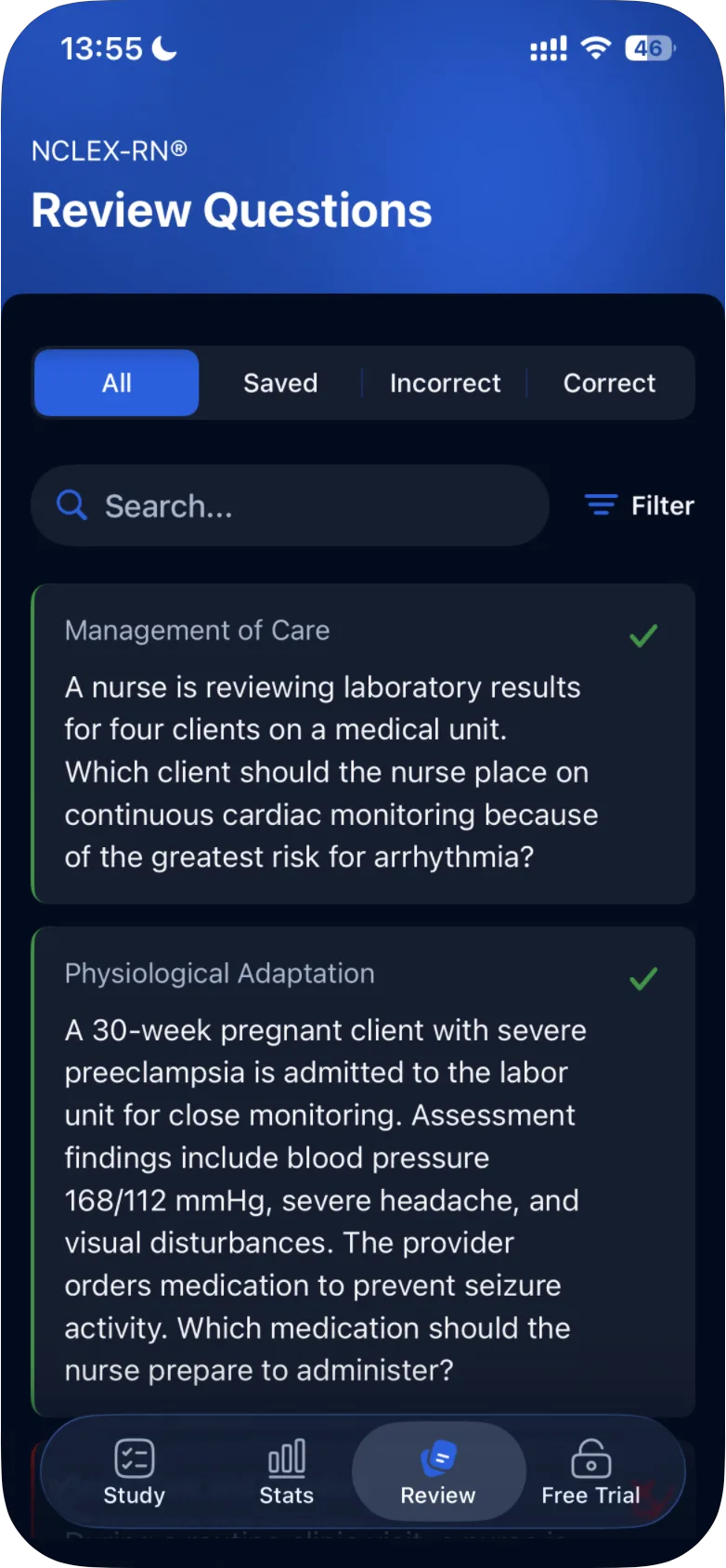
The tabs
| Tab | What it lists |
|---|---|
| All | Every quiz question you have answered |
| Saved | The questions you saved with the bookmark button |
| Incorrect | The questions you answered wrong |
| Correct | The questions you answered correctly |
A question's place in Incorrect or Correct follows your answer. If you answer it again later, it can move from one tab to the other.
Search
Type in the search box to find a question. The search looks for words in the question text, not in the answer options. For example, typing "lumbar" finds a question about a lumbar puncture.
Filter by topic
- Tap Filter.
- In Filter Review Questions, tick one or more of the eight topics.
- Tap Apply Filters. The button works once at least one topic is ticked.
To close the filter without changing anything, tap ×.
Open a question
Tap a card to see the question again, with the header Review All and its number, for example Review All 1/10. The screen shows:
- the difficulty and the topic;
- the answer options, with the correct answer marked with a check (and, if you answered wrong, your answer marked with a cross);
- Explanation:, the reasoning behind the answer.
Next Question moves to the next question in the list. The bookmark button saves the question to Saved. The flag in the top-right corner reports a problem with the question: see how to report a problem with a question.
Not on the Review tab
Only quiz questions are listed. Case study questions are reviewed on the case study's own results screen: see how to review and retake a case study. If a question you expected isn't listed, see why some questions are missing from Stats or Review.
Was this helpful?
Related questions
- Quizzes & Study ModesHow do I read my quiz results?The results screen shows how many answers were correct and incorrect, the share of correct answers as a percentage, and the questions to review.
- TroubleshootingWhy are some questions missing from my Stats or Review?Skipped questions, a changed answer status, an active filter or search, and case studies counted separately can each keep a question out of Stats or Review.
- Quizzes & Study ModesHow do I report a problem with a question?Tap the flag in the top-right corner of the question, choose what is wrong, describe it and tap Report. Our content team reviews it.