What quiz modes are available in ExamReady?
The Quick 10, Question of the Day, Game Mode, case studies and four quiz modes (Random Mix, Missed, Saved, Mastered), for all topics or one topic.
Updated · iOS and Android
The quizzes are on the Study tab, the first tab at the bottom of the app. From the top of the tab down, they come in this order.
Quick 10
The Take a Quick 10 Quiz button near the top of the Study tab starts a quiz of ten questions; the header counts them (Quick 10 1/10). In the iPhone app without a subscription, the first time you tap it, the subscription screen opens before the quiz: close it with the × in its top-left corner, which appears after a few seconds, and the quiz begins. Each question shows its topic and a difficulty label, such as Medium or Easy.
Tap an answer, then tap Continue: the app marks the correct answer and shows an explanation. Next Question takes you to the next one. When a question says Select all that apply, you can select several options before you tap Continue. Step by step: see how to take a practice quiz.
Question of the Day
The Question of the Day card shows the first words of a question and the date. Tap it to open the whole question, with Question of the Day in the header. You answer it like any quiz question, with Continue. In the Android app, the button after your answer is Back to Studying.
Game Mode
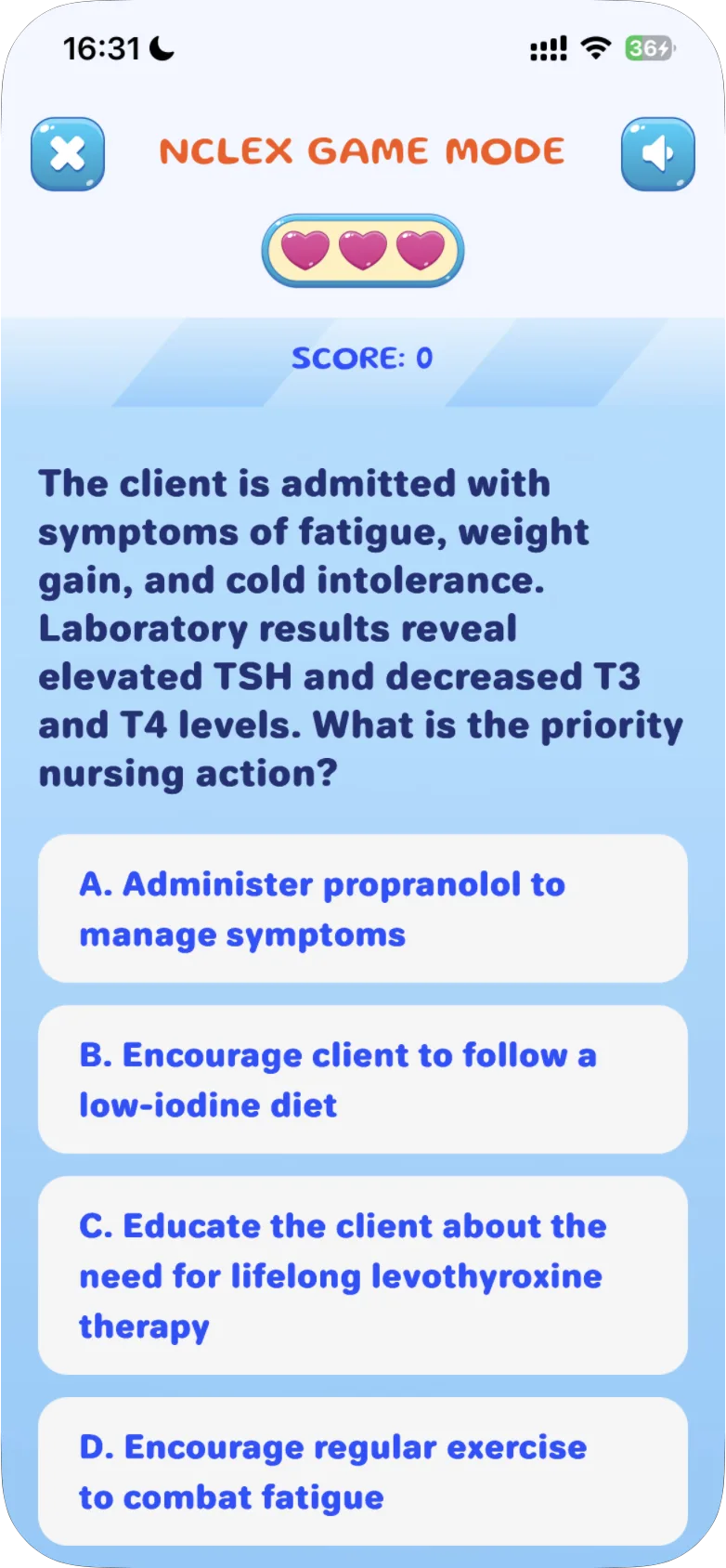
The Game Mode card asks "How many questions can you get right?" Tap Play Now to start NCLEX GAME MODE:
- You have three hearts, shown at the top, and a SCORE below them.
- Each question has four answers, A to D. Tap one to answer: there is no Continue button.
- A correct answer is marked with a check and adds a point to your SCORE.
- A wrong answer turns one of your hearts orange.
- When your hearts run out, the game ends and shows how many questions you got right, such as 2 CORRECT, with a BEAT YOUR RECORD button. Your first game ends with FIRST RECORD!
The × in the top-left corner leaves the game. The button with a speaker in the top-right corner is for the sound.
Android
In the Android app:
- A wrong answer marks the correct one with a check and doesn't take a point off your SCORE. The game ends on your third wrong answer.
- BEAT YOUR RECORD starts a new game straight away, with your best result shown as RECORD next to your SCORE.
- Tap × during a game and End Game? opens: "Your current run will be lost if you exit now", with KEEP PLAYING and END GAME.
- If you leave with END GAME before you score a point, the game shows NO SCORE THIS RUN with your RECORD and a PLAY AGAIN button.
Case Studies
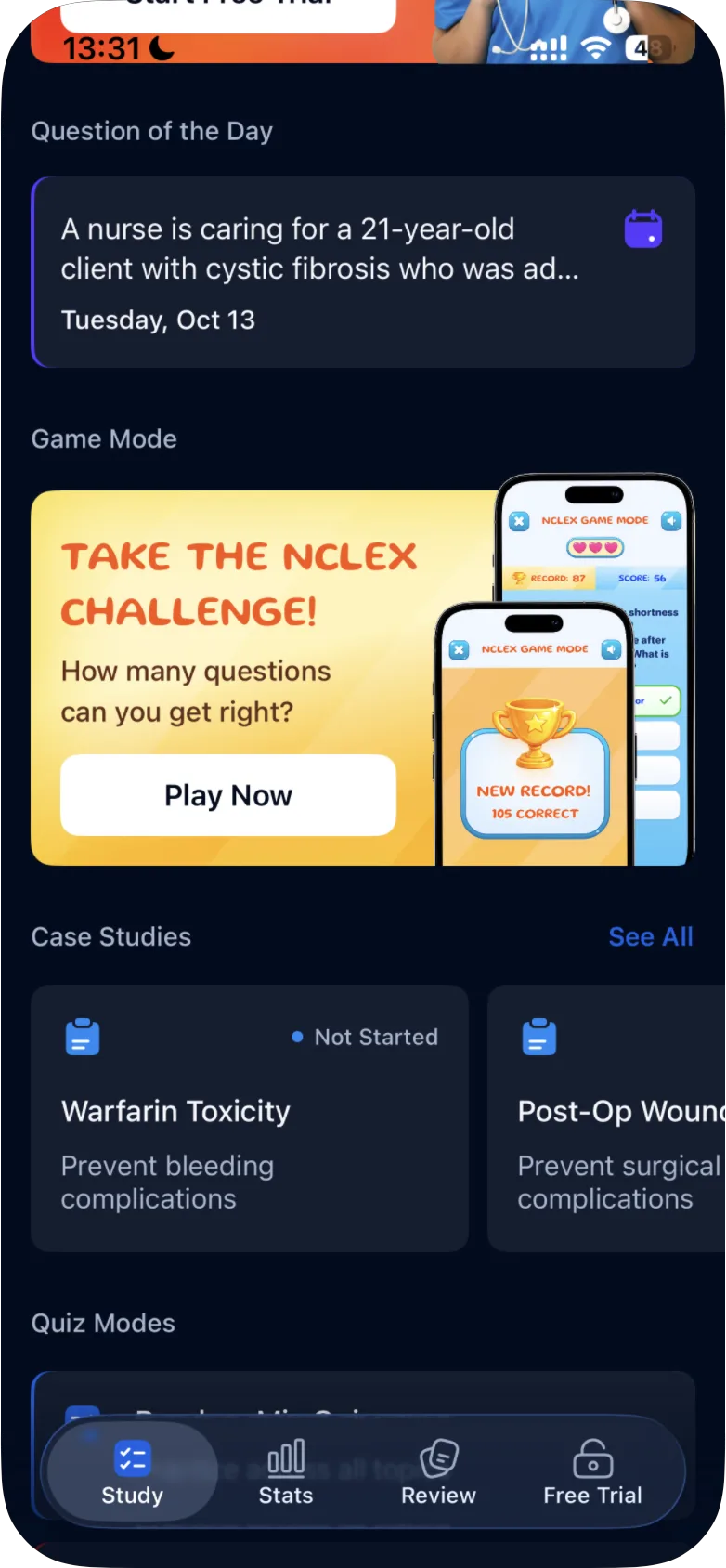
The Case Studies section has a row of case study cards that you swipe sideways. A card shows the title, a one-line goal and your status: Not Started or your score. See All lists all of them. A case study is a set of questions about one client, with the client's data in tabs: see how case studies work.
Quiz Modes
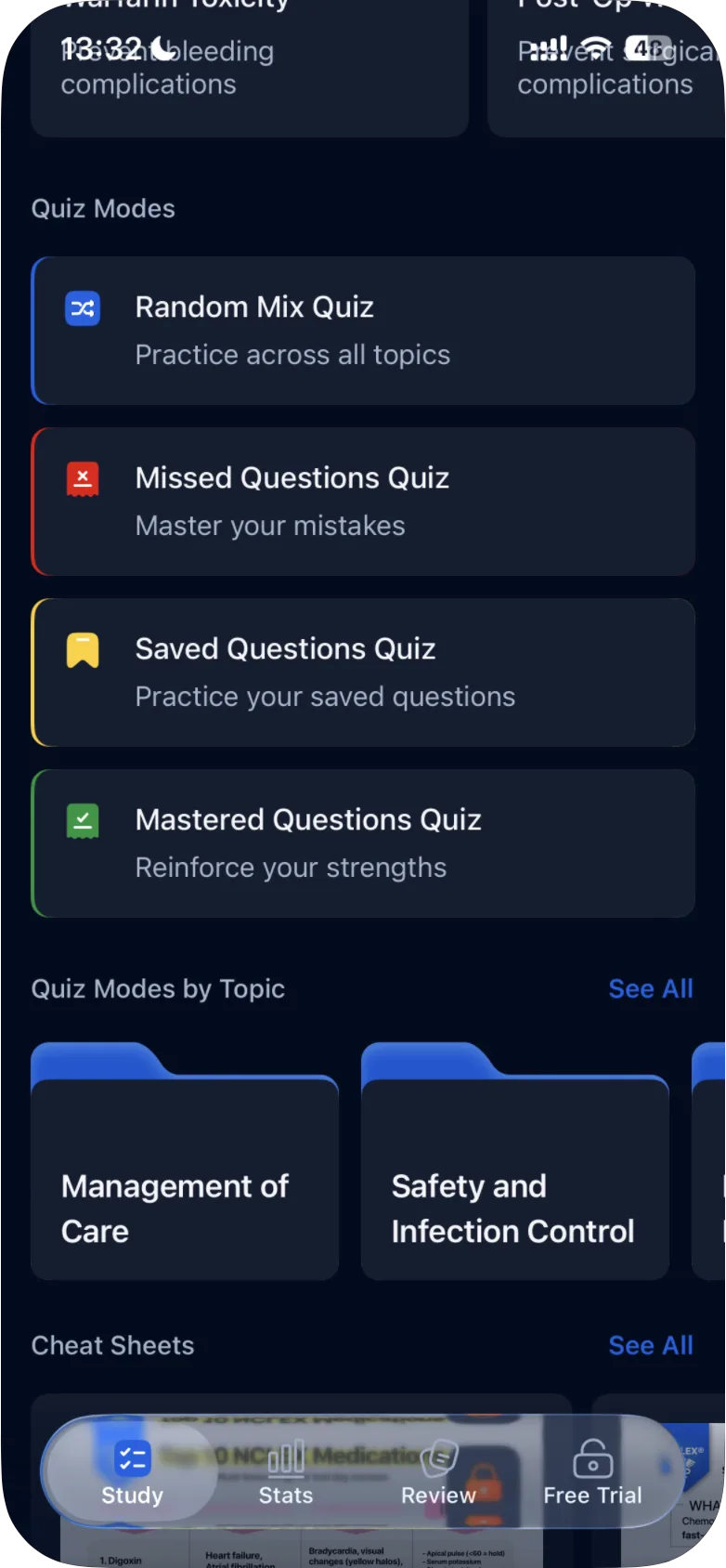
The Quiz Modes section has four quizzes. The line under each name is how the app describes it:
| Quiz | In the app |
|---|---|
| Random Mix Quiz | "Practice across all topics" |
| Missed Questions Quiz | "Master your mistakes" |
| Saved Questions Quiz | "Practice your saved questions" |
| Mastered Questions Quiz | "Reinforce your strengths" |
Random Mix
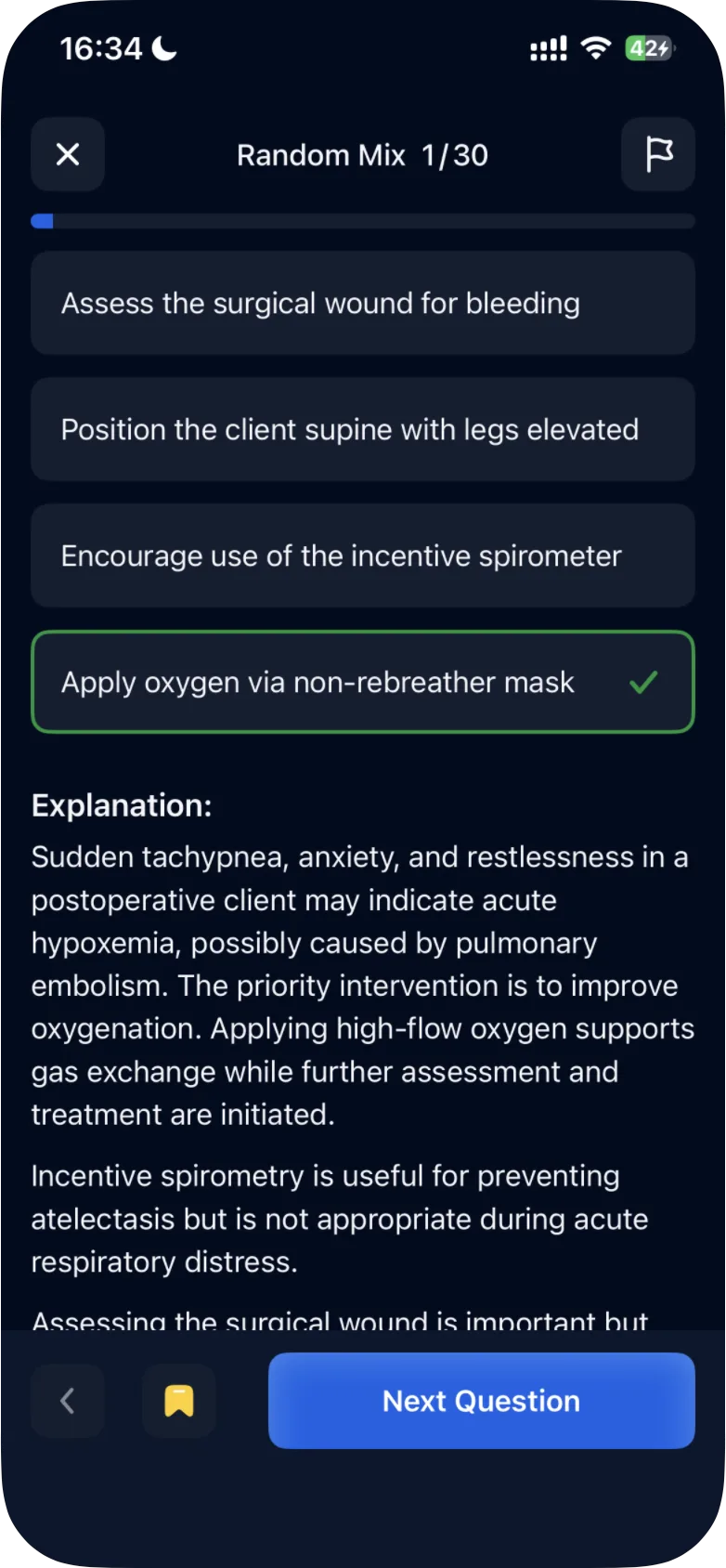
Random Mix Quiz is 30 questions: the header counts them (Random Mix 1/30). Each question shows its difficulty and topic. You answer as in the Quick 10: tap an answer, then Continue, then Next Question.
Save a question
After you answer a question, tap the bookmark button next to Next Question. It turns yellow, and the question is saved for Saved Questions Quiz. See how to save questions and practice them later.
Leave a quiz early
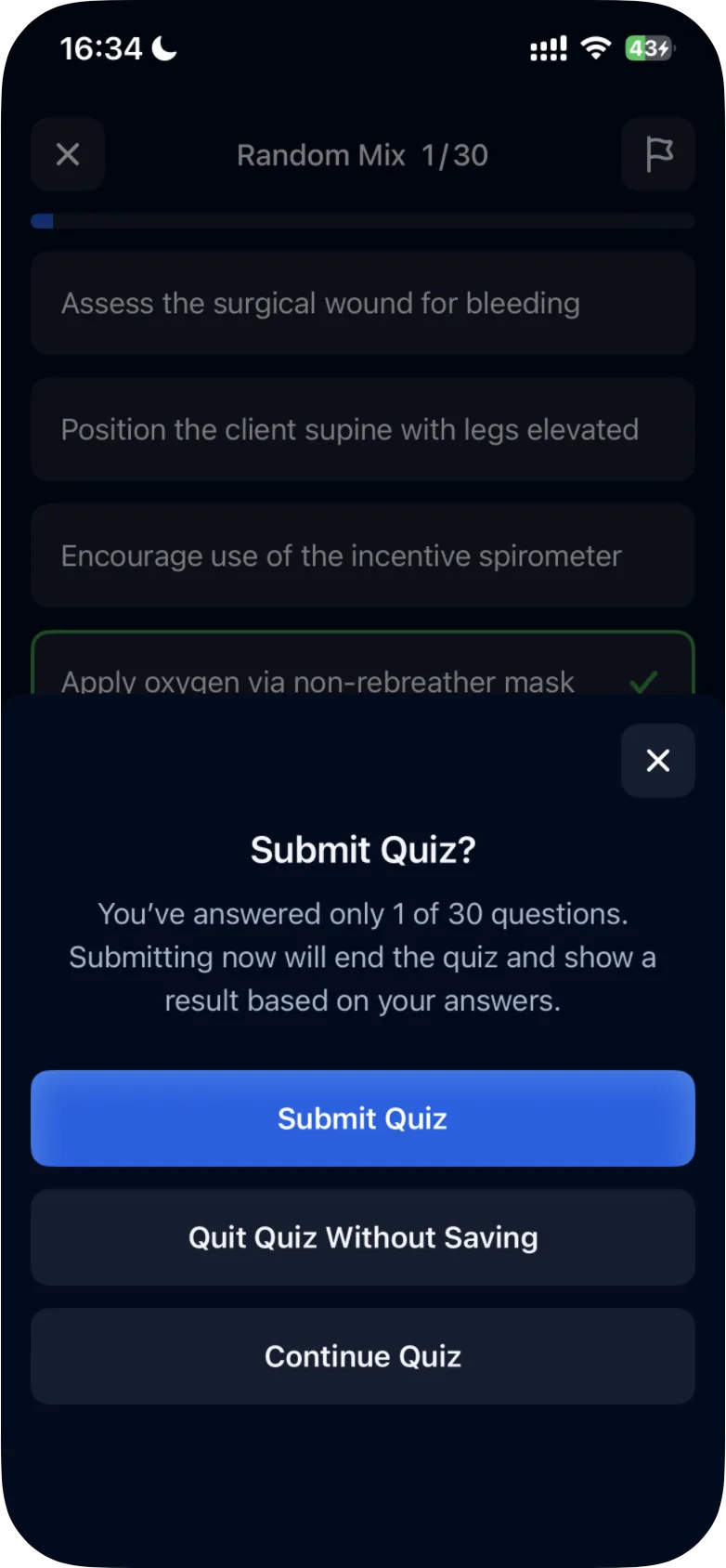
Tap × during a Random Mix quiz and Submit Quiz? opens. It tells you how many questions you have answered, for example "You've answered only 1 of 30 questions. Submitting now will end the quiz and show a result based on your answers." Its buttons are Submit Quiz, Quit Quiz Without Saving and Continue Quiz.
Submit Quiz shows Random Mix Results, counting only the questions you answered: one correct answer out of one answered shows Correct 1 / 1 and 100%. What each button does: see how to exit, submit or continue a quiz.
Saved, Missed and Mastered Questions
- Saved Questions Quiz asks the questions you saved with the bookmark. In the iPhone app, the answer options can come in a different order than before.
- Missed Questions Quiz asks the quiz questions you answered wrong. For example, after a Quick 10 with three wrong answers, it had those three questions (Missed Questions 1/3). Wrong answers in Game Mode and in case studies are not included.
- Mastered Questions Quiz asks the quiz questions you answered correctly. One correct answer is enough: seven correct answers in a Quick 10 and one in Random Mix made Mastered Questions 1/8.
These three quizzes have no start screen: tapping one opens its first question straight away, and the header counts the questions, such as Missed Questions 1/3, Saved Questions 1/1 or Mastered Questions 1/8. Tap × before you answer and Quit Quiz? opens ("You haven't answered any questions yet"), with Quit Quiz and Continue Quiz.
A question's status changes when you answer it again. For example, a question you missed can move to Mastered once you answer it correctly, and it is then no longer in the Missed Questions Quiz. If you have no questions with a status yet, its quiz has nothing to ask: see why there are no questions in Missed or Mastered mode.
Quiz Modes by Topic
The same four quizzes are available for one topic at a time. Tap See All next to Quiz Modes by Topic and choose a topic. Its Quiz Modes screen lists Random Mix Quiz ("Practice across the topic"), Missed Questions Quiz, Saved Questions Quiz and Mastered Questions Quiz.
Step by step: see how to practice questions by topic. With NCLEX-RN selected, the topics are Management of Care, Safety and Infection Control, Health Promotion and Maintenance, Psychosocial Integrity, Basic Care and Comfort, Pharmacological and Parenteral Therapies, Reduction of Risk Potential and Physiological Adaptation.
Go back over answered questions
The Review tab lists the quiz questions you have answered, with the tabs All, Saved, Incorrect and Correct, a search box and a Filter by topic. Tap a question to see it again with the correct answer and the explanation. See how to review questions you've answered.
The Stats tab counts your quiz answers. Answers in case studies and Game Mode are not part of All Answered Questions or All Correct Answers.
After a quiz
When you close the results of a quiz, the app may ask you to rate it: Like the App So Far?, with Yes, I Like It and Not Really. In the iPhone app, it may first ask you to share it: Give a friend 7 free days of full access, with Share 7 Free Days and Maybe Later. Each has an × that closes it.
Free questions and Premium
Without a subscription you can try 10 questions, and case studies have a free-question counter of their own. Once your free questions are used up, Question of the Day and Play Now open the subscription screen. In the Android app, Play Now opens it even while you still have free questions. With Premium there is no free-question counter, and Question of the Day, Game Mode, the quiz modes and case studies open directly. See what is available for free and what is included in Premium.
Was this helpful?
Related questions
- Quizzes & Study ModesHow do I take a practice quiz?Tap Take a Quick 10 Quiz on the Study tab, choose an answer, tap Continue to check it, read the explanation and tap Next Question. Results come at the end.
- Quizzes & Study ModesHow do I practice NCLEX questions by topic?On the Study tab, open Quiz Modes by Topic, choose one of the eight topics and start one of its four quizzes to practice questions from that topic only.
- Quizzes & Study ModesWhy are there no questions in Missed or Mastered mode?The Missed and Mastered quizzes are built from your own answers. If you have no questions with that status yet, the mode is empty.
- Quizzes & Study ModesHow do NGN case studies work?A case study is six questions about one client, with the patient's data in tabs. How to answer, read the exhibits and how +/- and 0/1 scoring work.