How do I report a problem with a question?
Tap the flag in the top-right corner of the question, choose what is wrong, describe it and tap Report. Our content team reviews it.
Updated · iOS and Android
If a question seems to have a wrong answer, a typo or confusing wording, report it from the question itself.
- Tap the flag in the top-right corner of the question. It is there while you answer a quiz question, the Question of the Day or a case-study question, and when you open a question from the Review tab.
- Report an Issue opens. Choose what is wrong:
- Incorrect answer
- I found a typo
- Confusing question or answers
- Other
- Under Tell us more about the issue, describe the problem. This field is required.
- Email for feedback is optional. Leave the switch on and enter your email address, or turn it off.
- Tap Report. It stays inactive until you choose a reason and describe the problem.
To close Report an Issue without reporting, tap ×.
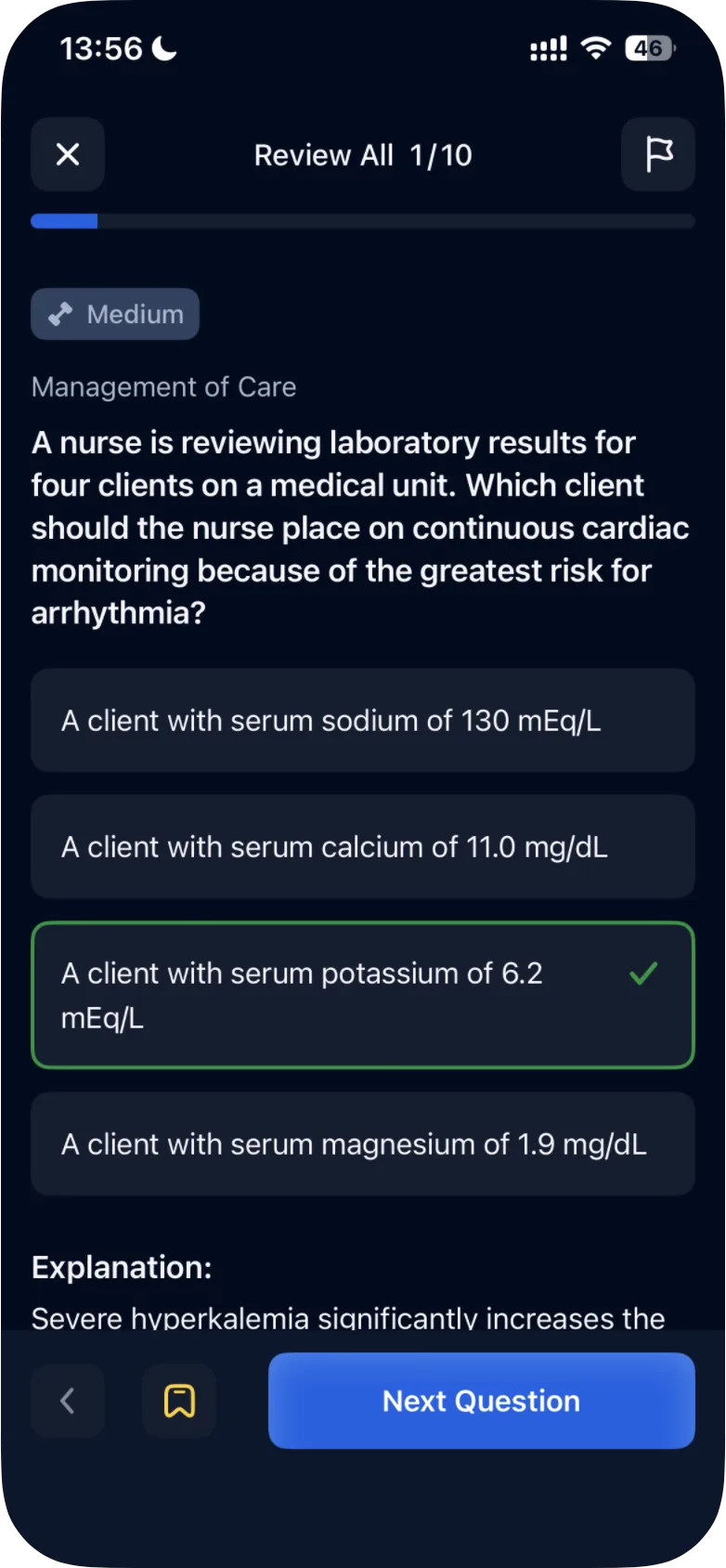
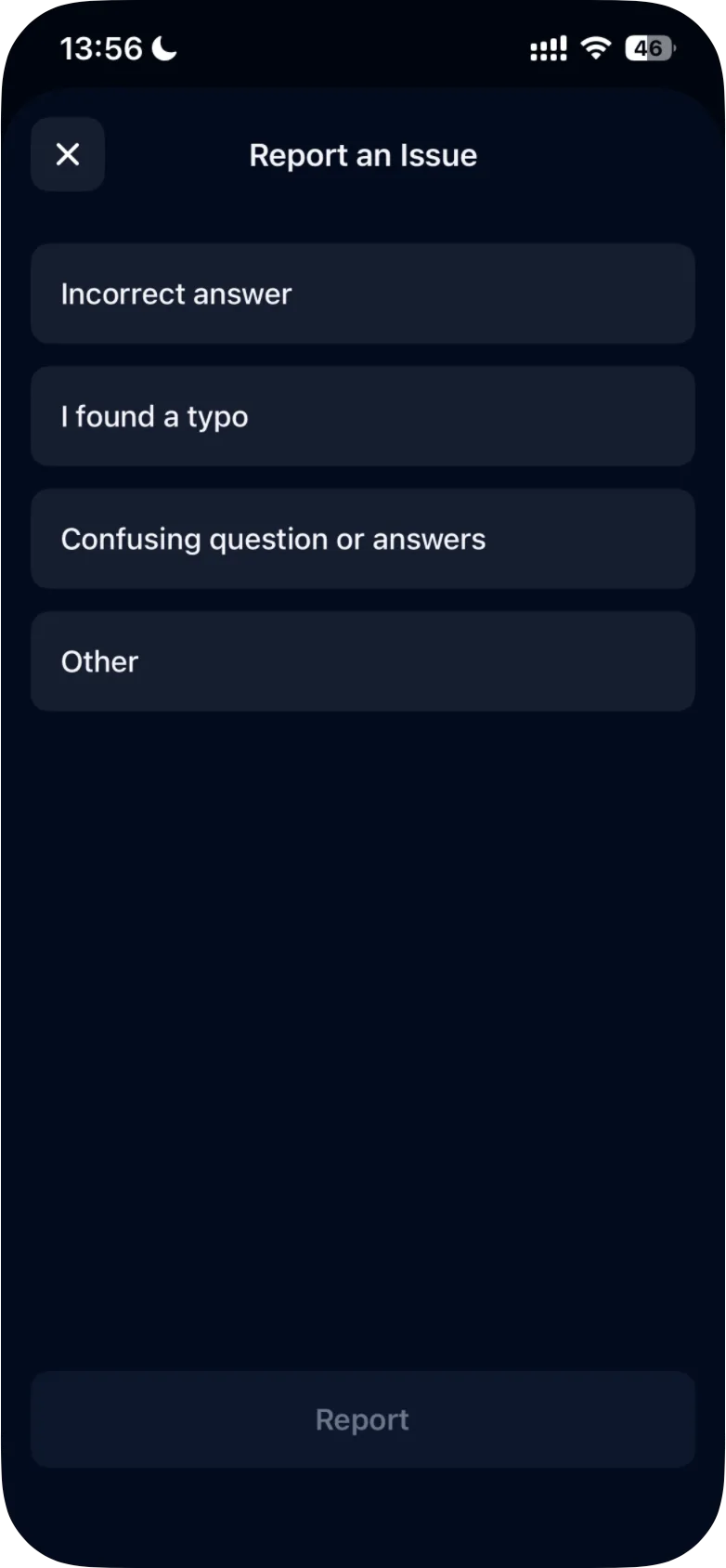
The app's FAQ calls the flag "the 'Report' button next to the question".
What happens next
The app's FAQ (the gear on the Study tab › FAQ) answers "What should I do if I find an incorrect question or answer?" with: "Our content team will carefully review it and make updates if needed."
For anything that isn't about a single question, contact support from the app.
Was this helpful?
Related questions
- Quizzes & Study ModesWhat quiz modes are available in ExamReady?The Quick 10, Question of the Day, Game Mode, case studies and four quiz modes (Random Mix, Missed, Saved, Mastered), for all topics or one topic.
- TroubleshootingHow do I contact support from the app?In Settings, tap Support & Contact Us for the contact form or Submit a Complaint to write an email. You can also write to support@examready.pro.
- All ExamReady apps · TroubleshootingHow do I contact ExamReady support?Write to us through the contact form or at support@examready.pro. Include your app, device and system version so we don't have to ask for them.