How do I save questions and practice them later?
After you answer a question, tap the bookmark next to Next Question. Saved questions appear under Saved on the Review tab and in the Saved Questions Quiz.
Updated · iOS and Android
You can save a quiz question to come back to it: to read it again on the Review tab or to answer it again in the Saved Questions Quiz.
Save a question
- Answer the question and tap Continue.
- Tap the bookmark button next to Next Question. It turns yellow: the question is saved.
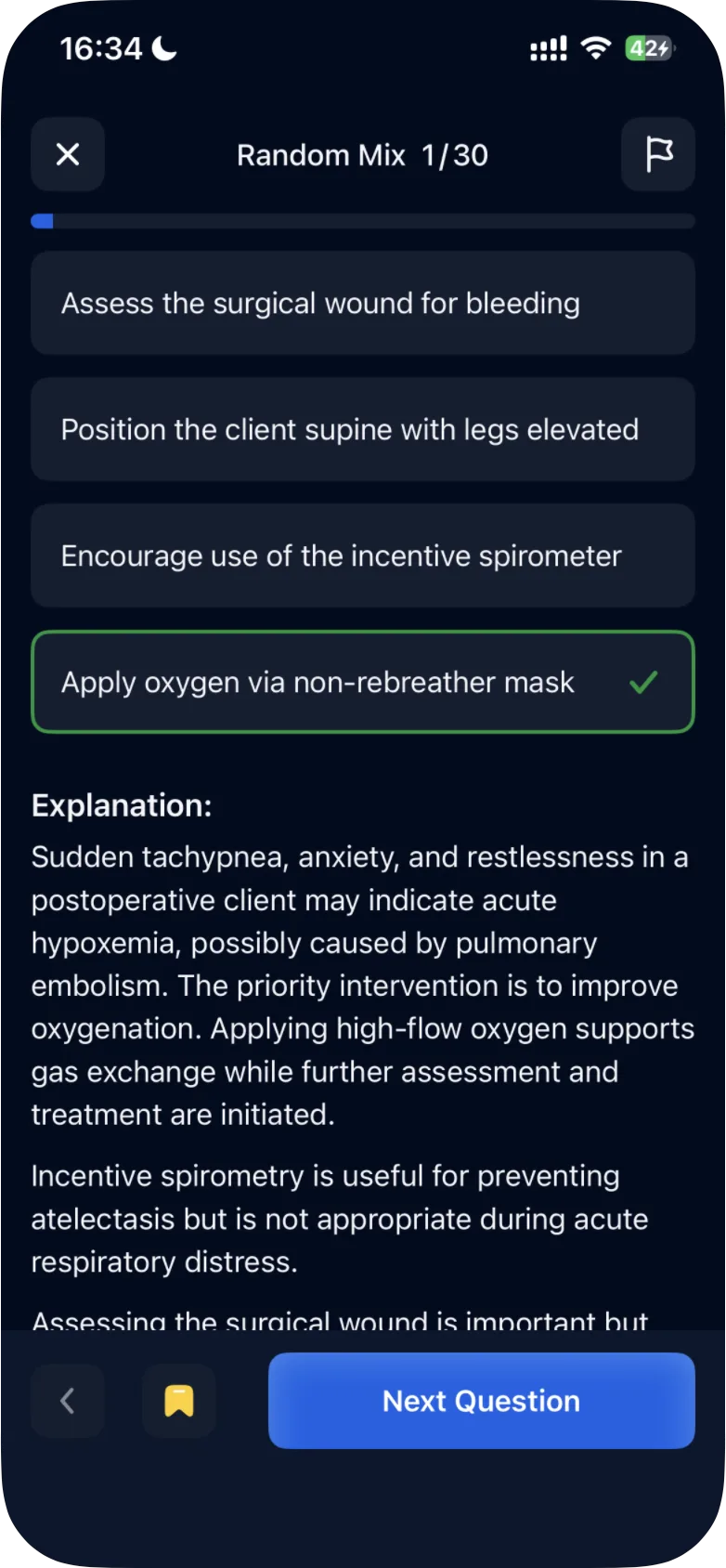
The same bookmark button is there when you open a question from the Review tab.
Find your saved questions
- On the Review tab, tap Saved. Tap a question to see it again with the correct answer and the explanation.
- In a quiz's results, Review Questions has a Saved tab too, and a saved question shows a yellow bookmark.
Practice them again
On the Study tab, scroll to Quiz Modes and tap Saved Questions Quiz ("Practice your saved questions"). It asks the questions you saved. In the iPhone app, the answer options can come in a different order than the first time. After your answer to the last saved question, tap Submit Quiz to see your results. In the Android app, the question stays saved after you answer it in this quiz.
To practice the saved questions of one topic, open that topic under Quiz Modes by Topic: see how to practice questions by topic.
To leave the Saved Questions Quiz, tap ×. On iPhone, Quit Quiz? then offers Quit Quiz or Continue Quiz.
On Android without a subscription, the quiz modes open the subscription screen once your free questions are used up: see what is available for free.
Was this helpful?
Related questions
- Quizzes & Study ModesWhat quiz modes are available in ExamReady?The Quick 10, Question of the Day, Game Mode, case studies and four quiz modes (Random Mix, Missed, Saved, Mastered), for all topics or one topic.
- Quizzes & Study ModesHow do I take a practice quiz?Tap Take a Quick 10 Quiz on the Study tab, choose an answer, tap Continue to check it, read the explanation and tap Next Question. Results come at the end.
- Quizzes & Study ModesWhy are there no questions in Missed or Mastered mode?The Missed and Mastered quizzes are built from your own answers. If you have no questions with that status yet, the mode is empty.