What is available for free?
Without a subscription you can try 10 quiz questions, and case studies have their own counter of 3. What the app shows when your free questions run out.
Updated · iOS and Android
You can try the app before you subscribe. Its FAQ (the gear on the Study tab › FAQ) puts it this way: "Try 10 sample questions in any quiz mode before subscribing."
Your free questions
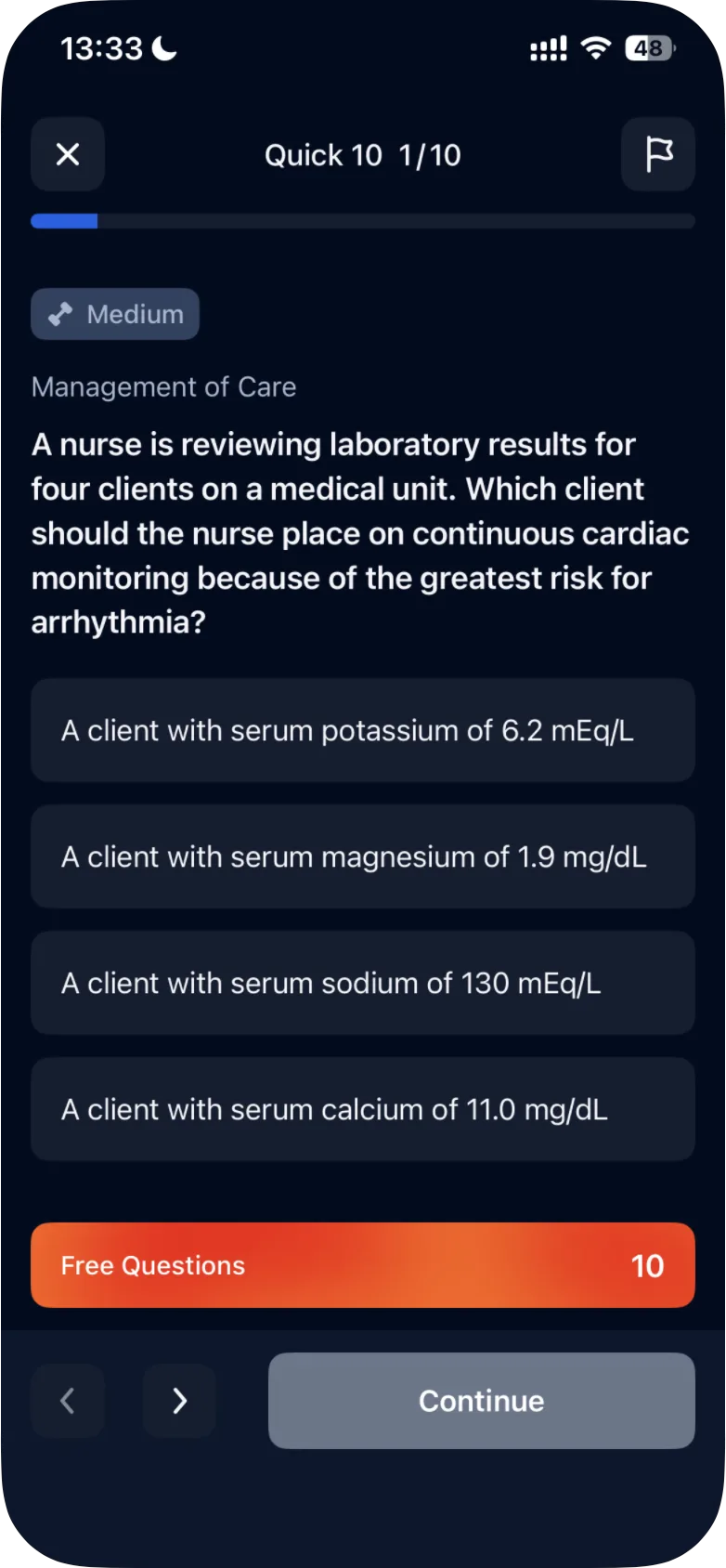
- 10 quiz questions. An orange Free Questions bar at the bottom of the question shows how many you have left. It starts at 10 and goes down by one with each answer, so one Quick 10 quiz uses all ten.
- Three case study questions. Case studies have their own Free Questions counter: three questions in one case study. It is separate from the 10 quiz questions, so using one doesn't use up the other. See how free access to case studies works.
The subscription screen, with the plans, opens at the end of the first-launch setup. You don't have to choose a plan: close it with the × in its top-left corner.
iOS
In the iPhone app, the subscription screen opens again when you start your first quiz. The × appears after a few seconds; when you close the screen, the quiz begins.
When your free questions run out
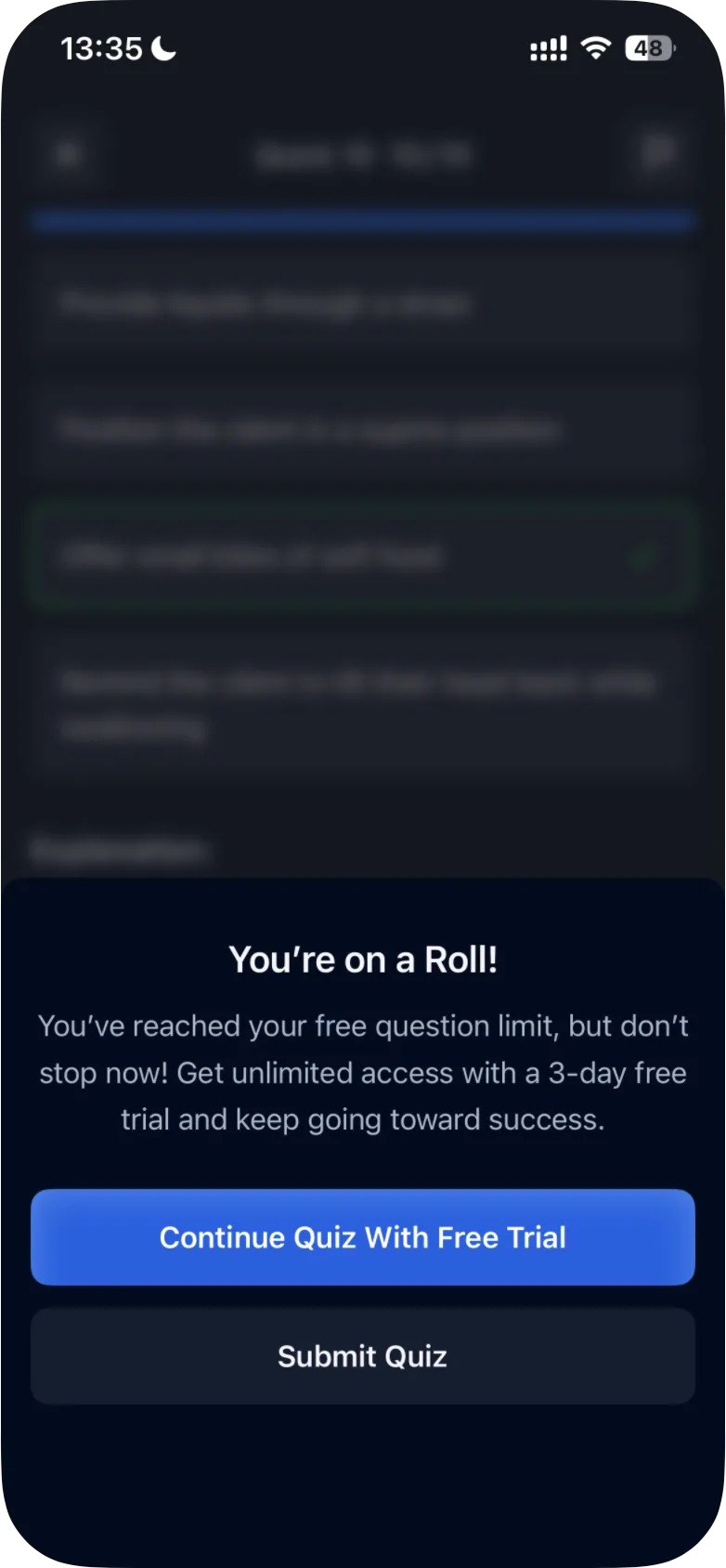
After your last free question, the app shows You're on a Roll! with this message: "You've reached your free question limit, but don't stop now! Get unlimited access with a 3-day free trial and keep going toward success." Below it are two buttons:
- Continue Quiz With Free Trial (in a case study, Continue Case Study With Free Trial);
- Submit Quiz (in a case study in the Android app, Submit Case Study), which shows your results. For the Quick 10, that is how many answers were correct and incorrect, with a percentage, and the questions under Review Questions (tabs All, Saved, Incorrect and Correct); for a case study, your points (see how case studies work).
From then on, the Question of the Day card and Play Now in Game Mode open the subscription screen.
Android
In the Android app, Take a Quick 10 Quiz, the four quiz modes and Random Mix Quiz under Quiz Modes by Topic then open the subscription screen too. Play Now in Game Mode opens it even while you still have free questions.
What you can still use
- The Review tab lists the quiz questions you have answered. Tap one to see the correct answer and the explanation again.
- The Stats tab shows your Readiness Score and how many questions you have answered and got right.
Cheat Sheets on the Study tab show a lock without a subscription; in the Android app, tapping one opens the subscription screen. The subscription screen offers them as a "Special gift to boost your prep: NCLEX® Cheat Sheets".
To keep practicing
Premium gives you the full question bank. Its monthly plan starts with a 3-day free trial. If you start the trial and don't want to be charged, cancel before it ends; on iPhone, Apple advises canceling at least 24 hours before. See how to cancel your subscription.
Was this helpful?
Related questions
- Subscription & BillingWhat is included in Premium?Premium gives full access to the question bank, NGN case studies, quiz modes, stats and Game Mode. What changes in the app, the two plans and their prices.
- Quizzes & Study ModesHow does free access to case studies work?Without a subscription you can answer three questions in one case study. This limit is separate from the 10 free quiz questions.
- Quizzes & Study ModesWhat quiz modes are available in ExamReady?The Quick 10, Question of the Day, Game Mode, case studies and four quiz modes (Random Mix, Missed, Saved, Mastered), for all topics or one topic.
- All ExamReady apps · Subscription & BillingWhy does my subscription renew automatically?ExamReady subscriptions renew at the start of each billing period until you cancel. When the charge happens and how free trials end.